Music Production

REZONATOR

A desktop digital audio workstation with a hand-built synthesis engine, piano roll, and live MIDI—no third-party audio libraries

Tauri Rust React TypeScript Web Audio Zustand
Scroll

The Vision

Rezonator is a DAW built from first principles—every sound it makes comes from a synthesis engine written from scratch on raw Web Audio nodes.

Instead of wrapping an existing audio framework, Rezonator constructs each voice as a graph of oscillators, filters, envelopes, and LFOs. The result is complete control over the sound and a deep understanding of how synthesis actually works.

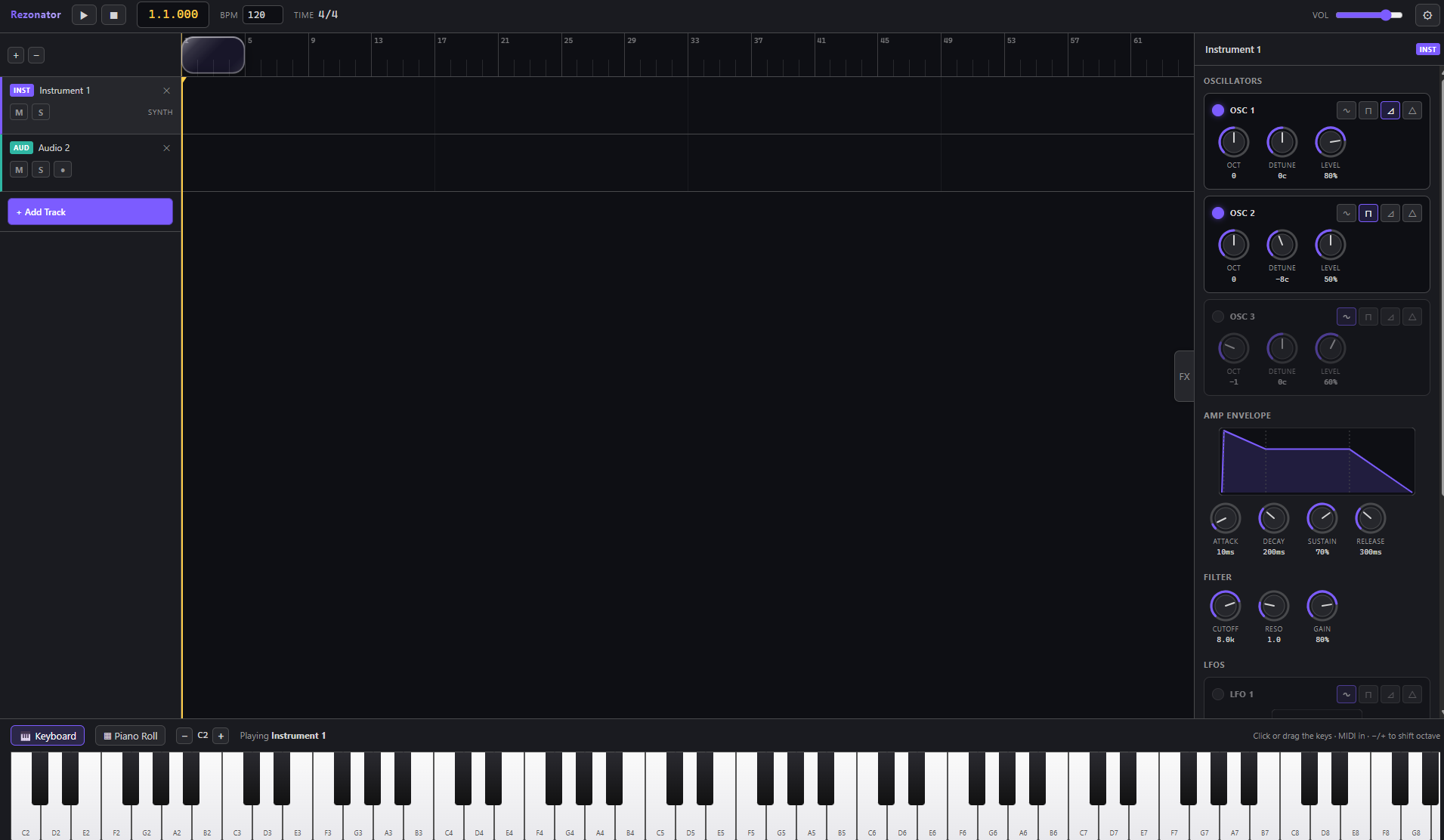
Wrapped in a native Tauri shell with a Rust backend, it delivers a full production workflow—multi-track timeline, piano roll editing, live MIDI input, and a patch editor with visual envelope and LFO graphs—in a lightweight desktop app.
0 Audio Libraries Used
10 Theme Presets
MIDI Live Hardware Input

System Architecture

Three layers: a custom synthesis engine, a sequencer interface, and a native desktop shell.

Synthesis Engine

  • Per-voice audio graphs on Web Audio
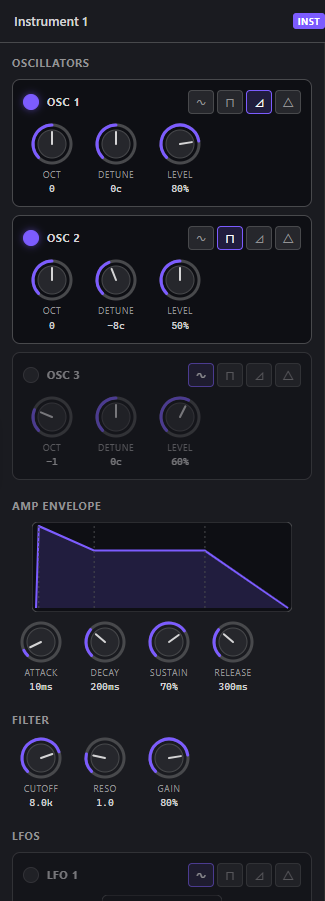
  • Multi-oscillator patches with detune
  • Lowpass filter with resonance
  • ADSR envelopes & tremolo
  • LFO modulation routing

Sequencer UI

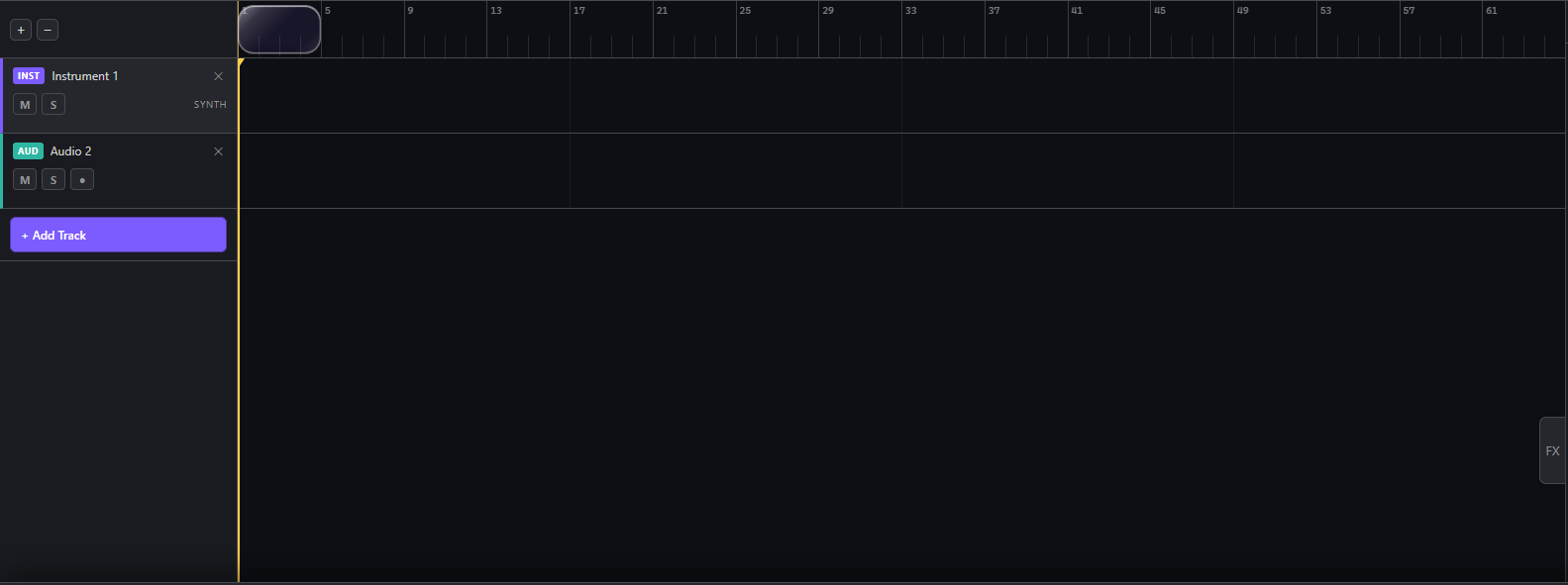
  • Multi-track timeline with clips
  • Piano roll note editing
  • Transport with snap & nudge
  • Keyboard-first shortcuts
  • Zustand state management

Desktop Shell

  • Tauri 2 with Rust backend
  • React 19 + TypeScript frontend
  • Native window, tiny footprint
  • Web MIDI hardware input
  • Vite-powered dev workflow

Key Features

Hand-Built Synthesis

Every playing note is a small graph of audio nodes: oscillators feed a mixer, through a resonant lowpass filter and tremolo stage, shaped by an ADSR envelope, with LFOs modulating pitch, filter, or amplitude along the way.

The patch editor exposes all of it—waveform selection, detune, filter cutoff and resonance, envelope curves—with visual graphs and rotary knobs like a hardware synth.

/**
 * One playing note: a graph of
 * oscillators → mix → filter →
 * tremolo → envelope → master,
 * plus LFOs modulating those nodes.
 */
class Voice { ... }

Piano Roll & Timeline

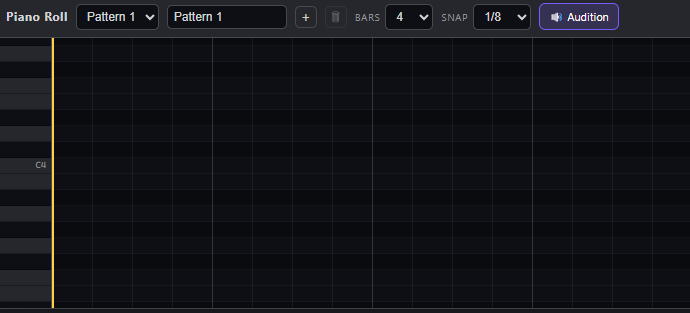
Compose on a multi-track timeline where clips can be placed, trimmed, and duplicated, then dive into the piano roll to edit individual notes with snap-to-grid precision.

The whole workflow is keyboard-first: space to play, arrows to nudge the playhead, and dedicated shortcuts for clip placement and editing.

Multi-Track Clips
Snap & Nudge
Keyboard-First

Live MIDI & Adaptive Themes

Plug in a MIDI keyboard and play the synth engine live through the Web MIDI API, or use the on-screen keyboard bar when hardware isn't around.

The entire UI is themed from just three colors—every panel shade, border, and text color is derived from them, so all ten presets (from Midnight to Vapor) stay perfectly cohesive.

Web MIDI Input
On-Screen Keys
Derived Theming